Listen together
Play a clear narration while following the words on screen.
From picture to narration in one simple flow.
Generate a story from an image, review the words, and choose a narrator. Saved stories can be replayed whenever your family wants to return to them.
Free download · In-app purchases · Generation limits apply. View your allowance and localized subscription price in the app before purchasing.
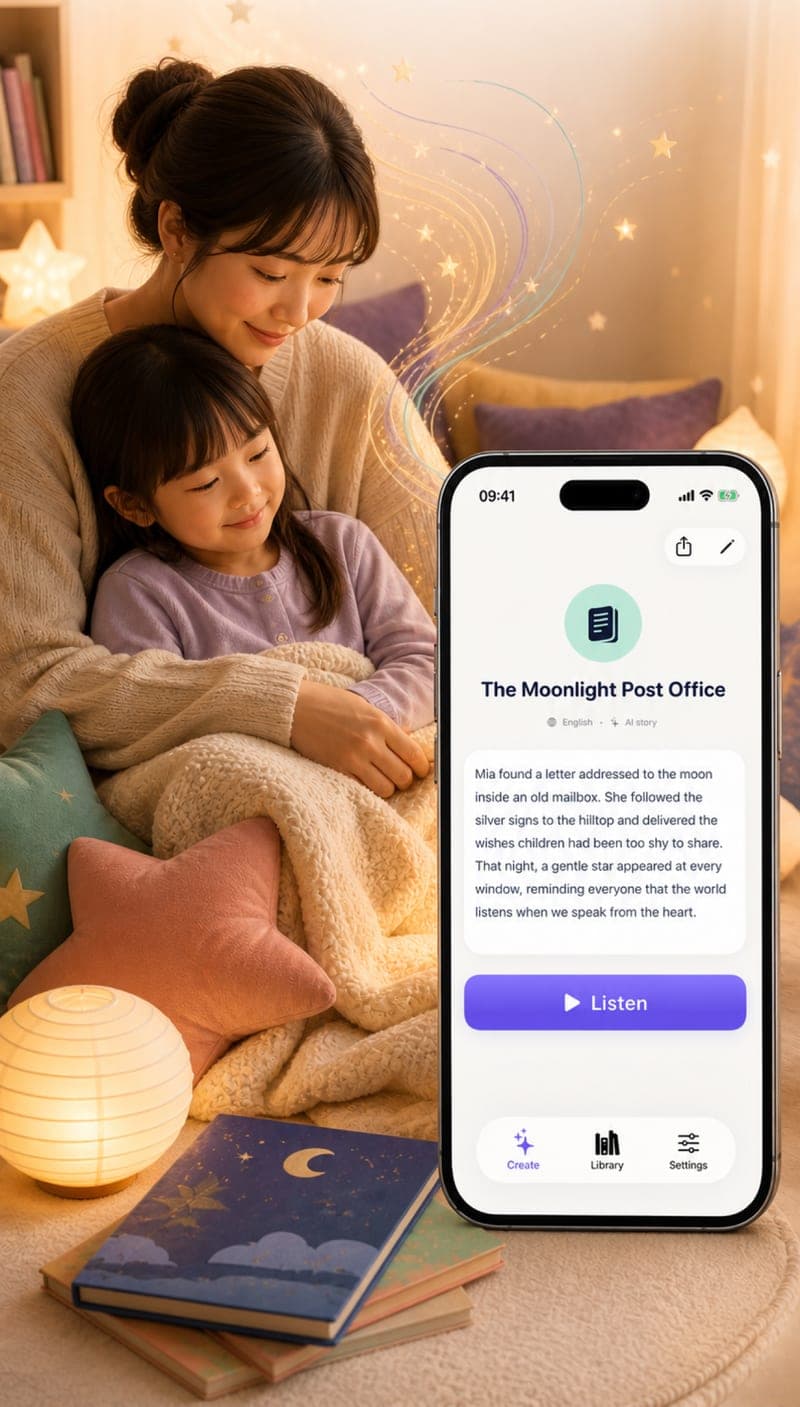
Play a clear narration while following the words on screen.
Create and hear stories in English or Chinese for bilingual family time.
Save favorite stories locally and return to them without generating the same tale again.
Take a picture or choose one from your photo library as the story’s inspiration.
Read and edit the result so names, details, and tone feel right for your family.
Listen with an available device or cloud narrator and replay saved stories later.
A wooden train beside a blue pillow and a pair of striped pajamas.
“At exactly eight o’clock, the wooden train gave a tiny whistle. ‘All aboard for Pillow Mountain,’ called the conductor, ‘where every passenger arrives just in time for a dream.’”
Examples are illustrative. Families can review and edit every result.Some device voices may be available locally. Cloud narration and story generation require an internet connection.
Yes. Saved stories remain in your library so you can read, edit, and replay them.
StoryLens currently creates and narrates stories in English and Chinese, depending on the voice options available on your device and account.
 Start making stories today
StoryLens is now available on the App Store for iPhone and iPad.
Download on the App Store